SSL Certificate Installation :: F5 FirePass
Installing Your SSL Certificate in F5 FirePass SSL VPN
- Navigate to and click the ‘Server’ link from the Admin Console.
- Navigate to Security.
- Hit the link for Certificates.
- Navigate to and click ‘Install’.
- Near the bottom of your screen choose ‘Add new Certificate’.
- Copy/Paste the certificate and key files to their corresponding fields:
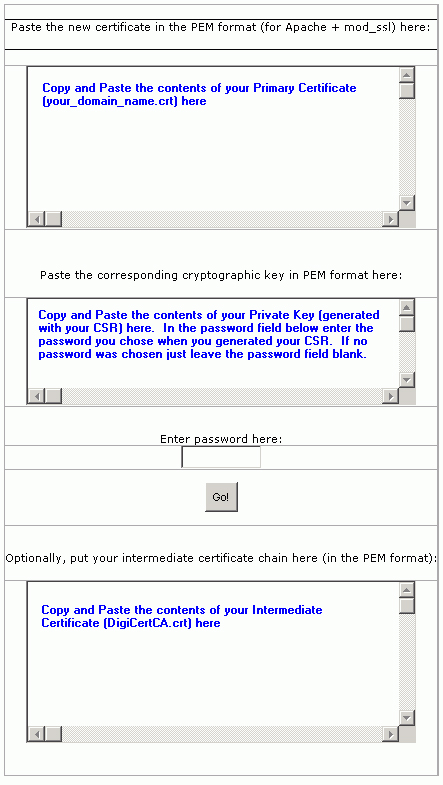
- Navigate to and click ‘Go!’ to install the certificate/key files.