1.Open SSL certificate contained in Zip file and save it on desktop.
2.Access Start >> Administrative tools >> IIS manager.
3.Open IIS manager and on the left side, select hostname under Connection tab. Now Navigate to and Navigate to and click server certificates from the center menu.
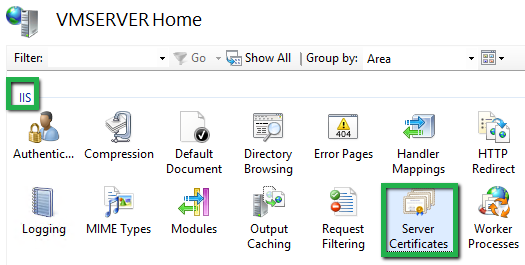
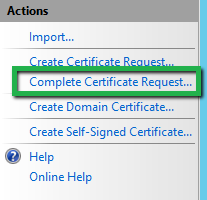
4.On the right side Action menu, open Complete Request Certificate wizard.
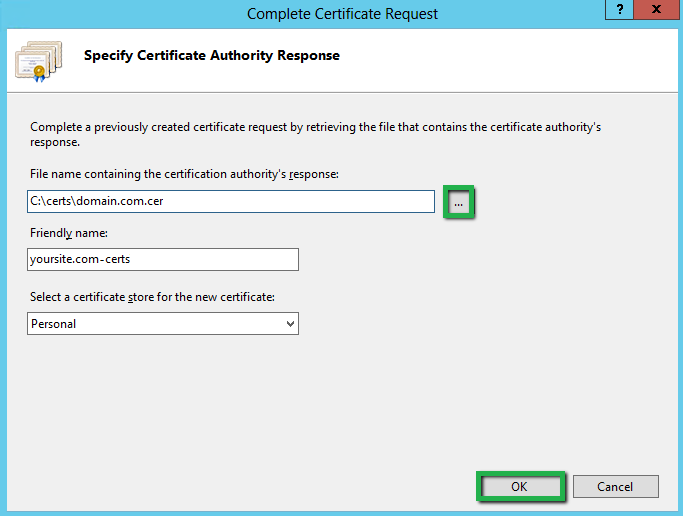
5.You will see a dialogue box named Specify Certificate Authority Response. Now, Navigate to and Navigate to and click three dot (…) button to browse .cer file. Provide any friendly name in Friendly name box. Select Personal to store certificate in next drop down box. Navigate to and click OK button.
6.Now, your certificate is installed. Now, you have to assign the certificate to the default website. Assign SSL certificate using IIS 8 / 8.5
- Open IIS manager, under Connection tab, browse server name >> Sites >> Default website.
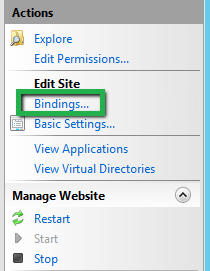
- On right side in Action tab, Browse Edit Site >> Bindings option.
- Now Navigate to and click Add button in appeared dialogue box.
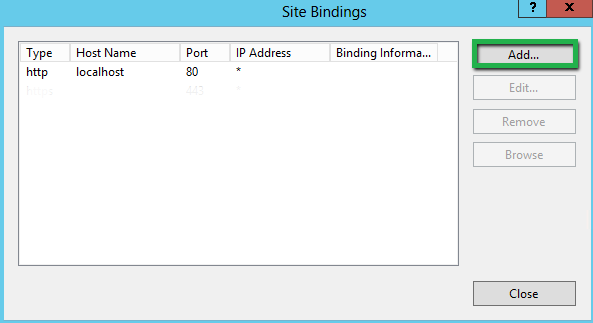
- You will see Add Site Bindings box where you have to Provide below details.
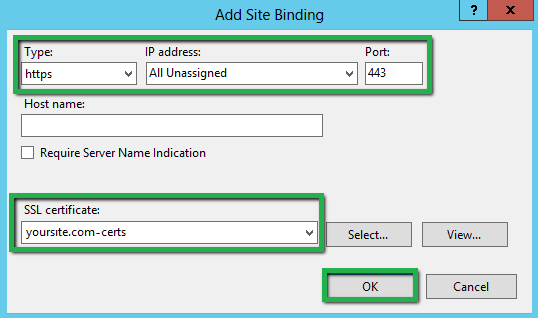
- Navigate to and click OK button
- our Certificate installation is completed.