For certificate installation on XAMPP server, you will need three files:
- Server Certificate
- Certificate Authority bundle
- Private key
Once you have all the needed files, you can start the installation by following the steps below.
- Upload the above-mentioned files to the server. It will be more convenient to use a single folder to store the files (such as xamppapachessl), however, you can upload the files to any directory on the server that’s convenient for you.
-
Locate the configuration file for your website. There are two ways to locate it:
-
Directly from the XAMPP control panel:

-
Using file explorer. The path to the configuration file depends on the folder you chose during setup of XAMPP control panel. You can see the folder of installation when opening the panel:
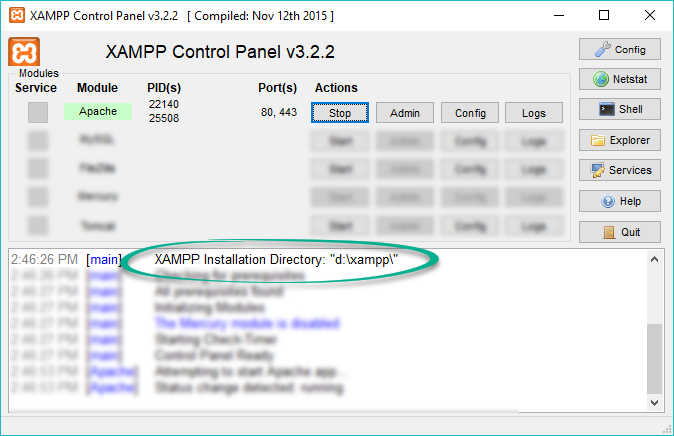
The directory specified should contain the Apache folder. From there, navigate to the conf folder >> extra folder >> httpd-ssl.conf file. You can open the file with any text editor.
The following command may be helpful to find all configuration files from which Apache reads Virtual Hosts:
"D:xamppapachebinhttpd.exe" -SPlease make sure to use your own path to the XAMPP folder in the command.
-
Edit the configuration file with the Virtual Host for port 443 and save the changes. Here is the example of the block that should be added:
<VirtualHost *:443>

			    DocumentRoot "/var/www"

			    ServerName yoursite.com

			    ServerAlias www.yoursite.com

			    SSLEngine on

			    SSLCertificateFile "D:/xampp/apache/ssl/yourdomain_com.crt"

			    SSLCertificateKeyFile "D:/xampp/apache/ssl/yourdomain_com.key"

			    SSLCACertificateFile "D:/xampp/apache/ssl/yourdomain_com.ca-bundle"

  </VirtualHost>
Please make sure to use your own paths and filenames in the certificate directives.
Note: Usually, there is a self-signed certificate already installed on the server. In this situation, it is not necessary to add another Virtual Host. The existing one for port 443 should be edited with the paths to your new trusted certificate, bundle, and private key.
-
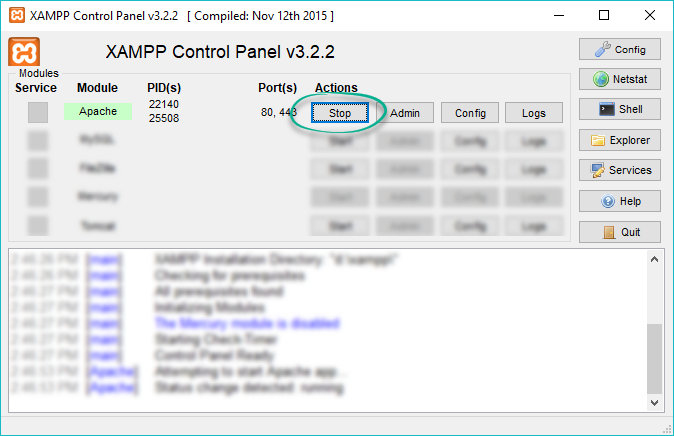
After the changes are saved, restart the server. This can be done via the XAMPP control panel by stopping Apache:
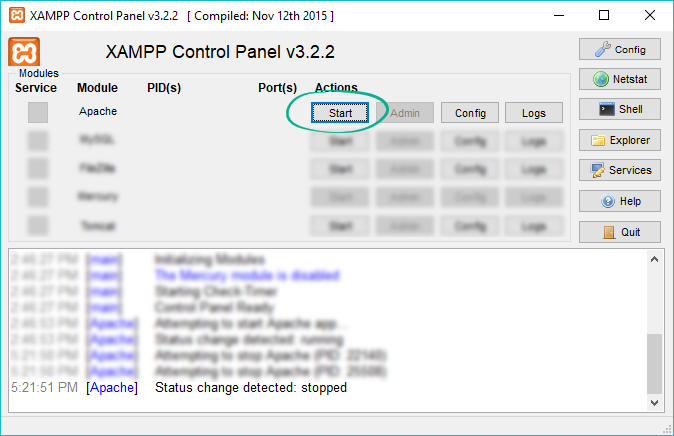
And then starting it again:
-